
What is CatLogs?
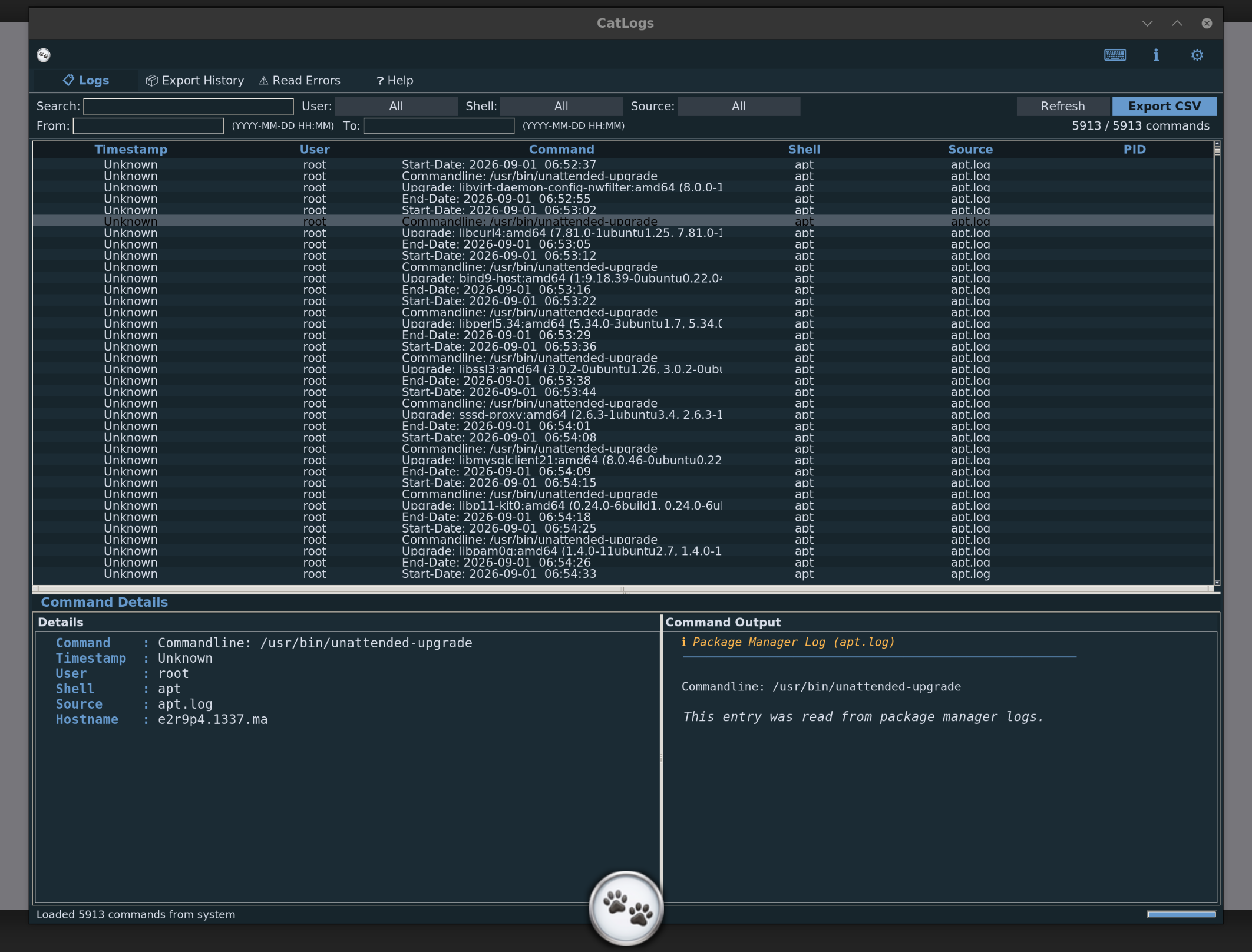
CatLogs gathers historical commands and system events from various log
sources across your Linux machine and displays them in a searchable,
sortable table. It reads from shell history files (bash, zsh, fish),
/var/log/auth.log, systemd-journald, process
accounting, last/lastb, dpkg/apt logs, syslog,
dmesg, and running processes.
All data stays on your machine. CatLogs makes no network connections and sends nothing anywhere. You can export filtered views to CSV for auditing or record-keeping.
Installation
Choose one of the methods below. The quick install and binary download require no dependencies; building from source needs Python 3.
| Method | What it does | Requires |
|---|---|---|
| Quick install | Downloads binary + icon, creates desktop entry | curl, root |
| Binary download | Single standalone file, run from anywhere | curl |
| .deb package | Installs via dpkg with full desktop integration | Debian/Ubuntu, root |
| From source | Clone + make build | Python 3, git, make |
Quick install (one command)
This downloads the installer script, which fetches the binary and icon,
installs them to /usr/local/bin, and creates a
.desktop entry so CatLogs appears in your application menu.
copy$ curl -sSL https://catlogs.wassim.tech/install.sh | sudo bash
Binary download
Download the standalone binary directly. It has no dependencies — everything is bundled inside a single file.
copy$ curl -sSL https://catlogs.wassim.tech/catlogs -o catlogs
$ chmod +x catlogs
$ ./catlogs
To install system-wide, move it to your path:
copy$ sudo mv catlogs /usr/local/bin/
Debian / Ubuntu package (.deb)
For Debian-based systems. Installs the binary to /usr/bin,
the icon, and a desktop entry. Uninstall cleanly with
dpkg -r catlogs.
copy$ curl -sSL https://catlogs.wassim.tech/catlogs_1.0.0_amd64.deb -o catlogs.deb
$ sudo dpkg -i catlogs.deb
Building from source
Clone the repository and use the provided Makefile. This builds a standalone executable with PyInstaller.
copy$ git clone https://github.com/wmBolles/catlogs.git
$ cd catlogs
$ make build
The binary is placed at ./dist/catlogs. Other Makefile
targets:
make install— set up venv and install dependenciesmake run— run directly from source without buildingmake package— create a release folder with binary and install.shmake deb— build a .deb packagemake clean— remove build artefacts
System Requirements
- Operating system
- Linux (any distribution — Debian, Ubuntu, Fedora, Arch, etc.)
- For binary download
- No dependencies. The standalone binary includes everything it needs.
- For building from source
- Python 3.8 or later, tkinter (usually included with Python on Linux), pip, make.
- Display
- X11 or Wayland with XWayland. Minimum window size: 900×520 pixels.
Keyboard Shortcuts
| Key | Action |
|---|---|
| F5, Ctrl+R | Refresh data |
| Ctrl+E | Export to CSV |
| Ctrl+N | Open new window |
| Esc | Clear all filters |
| Ctrl++, Ctrl+− | Zoom in / out |
| Ctrl+0 | Reset zoom |
| Ctrl+? | Show shortcuts dialog |
| Ctrl+Q | Quit |
Uninstalling
If installed via the quick installer or binary download:
copy$ sudo rm /usr/local/bin/catlogs
$ sudo rm /usr/share/applications/catlogs.desktop
$ sudo rm /usr/share/icons/hicolor/256x256/apps/catlogs.png
If installed via .deb:
copy$ sudo dpkg -r catlogs